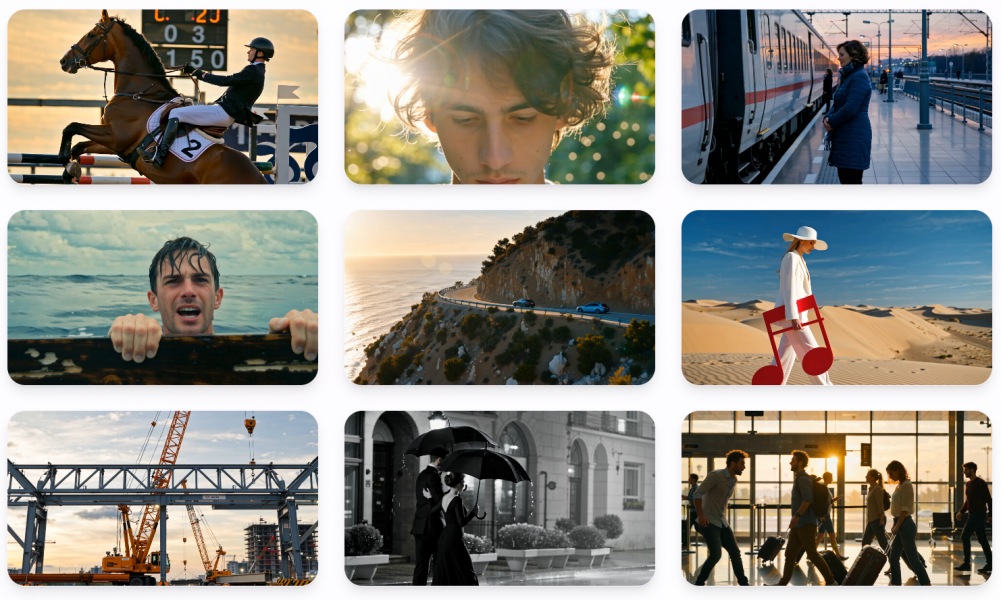
In recent years, artificial intelligence (AI) has developed rapidly, especially in areas such as video generation, virtual characters, and content creation. More and more creators and businesses are leveraging AI to increase production efficiency, reduce costs, and create more personalized and immersive experiences. From automatically generating images and audio to lifelike digital humans, AI is transforming the way video content is produced and consumed.
Against this backdrop, Wan2.2-S2V stands out as a simple and efficient solution, allowing users to easily transform audio content into realistic digital human videos. Whether you are a content creator, educator, marketer, or business professional, Wan2.2-S2V helps you quickly generate cinematic AI videos and enhance both your creative workflow and viewer experience. In this guide, we will explore how to use Wan2.2-S2V to create cinematic AI videos easily, discuss its key features, and provide practical tips and examples.
What is Wan2.2-S2V?
Wan2.2-S2V is an advanced AI video creation platform that converts audio content into high-quality digital human videos. Unlike traditional animation software, Wan2.2-S2V leverages AI-driven lip-sync, body motion, and pose control to generate realistic, cinematic, and engaging videos. Even beginners can produce professional-quality content quickly using Wan2.2-S2V.
Key Features of Wan2.2-S2V
Audio-to-Video Conversion: Upload your audio, and Wan2.2-S2V will automatically generate a synchronized video.
Cinematic Visuals: Smooth animations, natural expressions, and professional camera angles create a cinematic look.
Digital Human Animation: Animate characters or avatars with lifelike expressions and body movements using Wan2.2-S2V.
Customizable Gestures and Poses: Adjust hand gestures, posture, and expressions for storytelling, educational, or marketing content.
High-Resolution Output: Generate videos ready for social media, presentations, or commercial projects.
Multiple Styles and Themes: Wan2.2-S2V offers different cinematic styles to suit the tone of your content, from professional to casual or fun.
For more details, visit the Wan2.2-S2V official page.
How to Easily Create Cinematic AI Videos with Wan2.2-S2V
Creating cinematic AI videos with Wan2.2-S2V is simple and fast. Here’s a step-by-step guide to using Wan2.2-S2V effectively:
Step 1 – Prepare Your Audio
High-quality audio is essential for accurate lip-syncing and realistic facial expressions. Whether you are using narration, dialogue, or music, ensure your audio is clear, well-paced, and free from background noise to get the best results with Wan2.2-S2V.
Step 2 – Choose Your Digital Human
Select a digital human avatar from Wan2.2-S2V’s library or upload a custom avatar for personalized content. Wan2.2-S2V supports a wide variety of characters to match your project’s style and audience.
Step 3 – Upload and Generate
Upload your audio to Wan2.2-S2V, select the digital human, and let Wan2.2-S2V generate a synchronized video. The AI processes audio quickly, producing cinematic videos in just minutes.
Step 4 – Customize Cinematic Effects
Adjust camera angles, lighting, and gestures with Wan2.2-S2V to enhance the cinematic feel. Fine-tune facial expressions, eye movement, and body posture to make your digital human look natural and engaging.
Step 5 – Export and Share
Once satisfied with your video, export it in high resolution. Share your cinematic AI videos created with Wan2.2-S2V on social media, presentations, or marketing campaigns to maximize reach and engagement.
Tips for Professional Cinematic Videos with Wan2.2-S2V
Use High-Quality Audio: Clear audio improves lip-sync accuracy and natural movements in Wan2.2-S2V videos.
Apply Cinematic Gestures: Expressive hand and body movements make Wan2.2-S2V videos more professional.
Experiment with Camera Angles and Lighting: Small adjustments can dramatically improve visual appeal.
Preview Before Exporting: Ensure smooth synchronization and natural motion.
Use Backgrounds and Props: Adding context enhances storytelling in Wan2.2-S2V videos.
Maintain a Consistent Style: Uniform cinematic style strengthens branding across Wan2.2-S2V content.
Applications of Wan2.2-S2V Cinematic AI Videos
Wan2.2-S2V is versatile and suitable for various scenarios:
Education: Create interactive lessons, tutorials, and online courses with Wan2.2-S2V.
Marketing: Produce product demos, advertisements, and promotional videos.
Social Media: Generate engaging content for YouTube, TikTok, Instagram, and more using Wan2.2-S2V.
Entertainment: Animate digital humans for storytelling, music videos, or creative projects.
Corporate Training: Deliver onboarding and training videos efficiently with Wan2.2-S2V.
For inspiration and examples, explore the Wan2.2-S2V showcase.
Why Choose Wan2.2-S2V?
Ease of Use: Beginners can use Wan2.2-S2V without advanced animation skills.
Efficiency: Quickly convert audio into cinematic AI videos.
Professional Results: Realistic lip-sync, smooth movements, and cinematic visuals.
Versatility: Education, marketing, social media, and creative projects all benefit from Wan2.2-S2V.
Creative Freedom: Customize characters, gestures, camera angles, and backgrounds with Wan2.2-S2V.
With Wan2.2-S2V, anyone can create high-quality cinematic AI videos easily and efficiently.
Conclusion
Creating cinematic AI videos from audio has never been easier. Wan2.2-S2V empowers creators, educators, and businesses to turn audio into realistic, engaging digital human videos. By following best practices, applying cinematic techniques, and customizing avatars with Wan2.2-S2V, anyone can produce professional-quality videos.
Start your cinematic AI video journey today with Wan2.2-S2V and bring your audio content to life effortlessly and professionally.